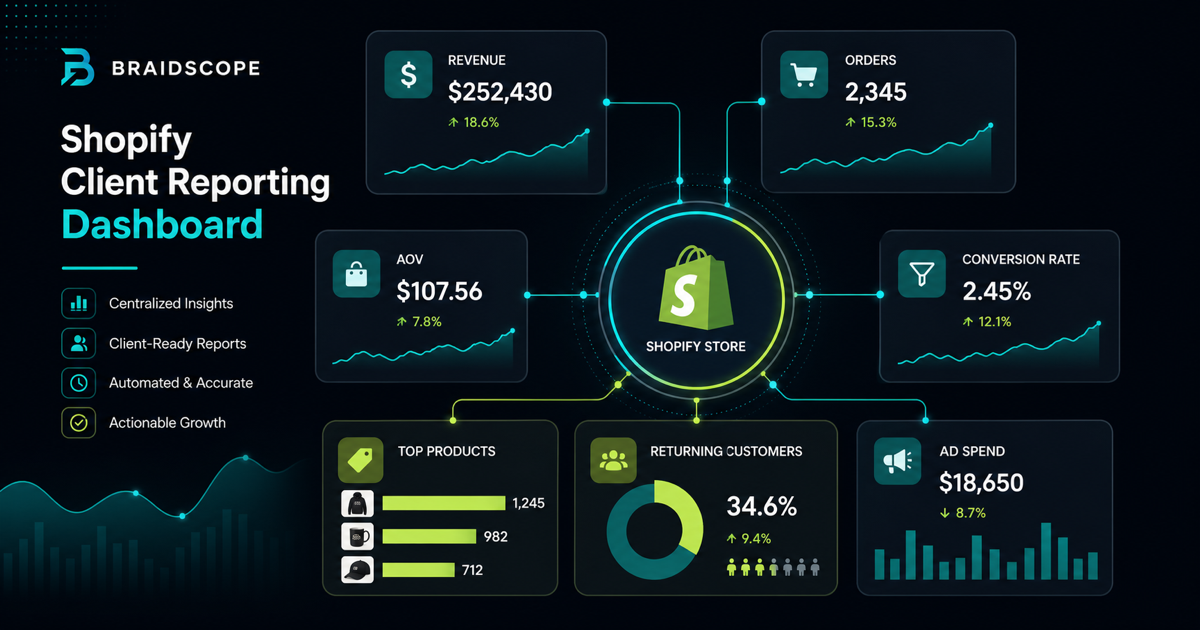
Shopify reporting should answer one question first: did the store make more money profitably?
Ecommerce clients do not want a generic marketing report. They want to understand revenue, orders, conversion rate, ad efficiency, and what will grow the store next.
That means Shopify data needs to sit beside ad data, not in a separate export.
Quick takeaways
- Shopify reporting should explain why revenue moved, not only show that it moved.
- Store revenue, ad spend, conversion rate, AOV, and top products belong in the same view.
- Define Shopify as the revenue source of truth to avoid endless attribution arguments.
The founder lens
Founders checking Shopify every morning already know revenue. What they do not always know is why revenue moved.
Was it traffic? Conversion rate? AOV? Returning customers? Meta spend? Google Shopping? A discount code?
The report should connect those pieces without making the founder become a data analyst.
What ecommerce clients want to see
Most ecommerce clients care about:
- revenue
- orders
- average order value
- conversion rate
- returning customer rate
- top products
- refunds or cancellations
- revenue by channel
- ROAS and MER
Traffic matters only when it connects to revenue. Clicks matter only when they become customers.
Core Shopify metrics
Include these in a client-facing Shopify report:
- gross sales
- net sales
- orders
- AOV
- conversion rate
- returning customer rate
- top products
- discount usage
- refund rate
For subscription brands, split one-time purchases from subscription revenue where possible.
Tie Shopify to ad performance
Shopify alone shows what happened in the store. It does not fully explain why.
Ad platforms show spend, clicks, and attributed conversions. Shopify shows actual store revenue. The useful report combines both.
For a DTC client, show:
- Meta Ads spend
- Google Ads spend
- Shopify revenue
- ROAS by platform
- MER across the business
- top products sold
- conversion rate changes
This is the heart of ecommerce agency reporting.
Data challenges
Ecommerce reporting has messy edges.
Attribution windows can make Meta Ads revenue differ from Shopify revenue. Refunds can change net sales. Subscription revenue can distort AOV. Discounts can improve conversion while hurting margin.
Do not hide these issues. Explain them simply.
Example:
“Meta Ads shows higher attributed revenue than Shopify because of its attribution window. For budgeting, we are using Shopify revenue and MER as the source of truth.”
That kind of explanation builds trust.
Avoid the attribution argument trap
Do not make every reporting call a debate about whether Meta or Shopify is “right.”
Define the rule:
- Shopify is the store revenue source of truth
- ad platforms explain channel performance
- GA4 helps with behavior and source comparison
Once the rule is clear, the conversation can move to decisions.
Shopify export vs API vs Braidscope
Shopify exports are fine for one-off checks. They are not ideal for recurring client reporting.
The Shopify API is powerful, but it requires development or a reporting tool.
Braidscope is built to connect Shopify as part of the agency reporting workflow. The client workspace can show Shopify performance beside Meta Ads, Google Ads, GA4, HubSpot, and Google Sheets.
That reduces the weekly spreadsheet work and gives the client one place to understand store performance.
Report structure for a DTC client
Use this structure:
- Executive summary
- Revenue and orders
- AOV and conversion rate
- Paid channel performance
- Top products
- Customer behavior
- What changed
- Next recommendation
Keep the product table short. Most clients need the top 5 products, not the full catalog.
Frequency
Use a weekly revenue snapshot for ecommerce clients. Store performance moves quickly, and clients often want to know whether spend is working.
Use a monthly deep-dive for strategic analysis, margin, creative, product trends, and channel mix.
Bottom line
Shopify reporting is not just store reporting. It is revenue reporting tied to marketing spend.
If your agency wants Shopify, Meta Ads, Google Ads, and GA4 in one client dashboard, join the Braidscope closed beta and lock in founder pricing before launch.