GA4 made client reporting harder.
Universal Analytics was not perfect, but most marketers understood the basic language. GA4 changed the model, the interface, the metrics, and the way conversions are tracked.
Clients do not need to understand all of that. They need a clear report that answers where traffic came from, what it did, and whether it converted.
Quick takeaways
- GA4 is too complex to expose directly to most clients without translation.
- A client-facing GA4 report should focus on traffic, source, conversion, and what changed.
- Use plain language beside GA4 terms so the report teaches instead of confusing.
The real problem with GA4
GA4 is not only confusing because of the interface. It is confusing because different people want different answers.
The agency owner wants a repeatable view across clients.
The founder wants to know which channel is worth more attention.
The business owner wants to know whether marketing is creating leads, purchases, or qualified traffic.
The everyday reader just wants the report to avoid analytics jargon.
Your GA4 report has to translate the tool into plain business language.
Why GA4 reporting is harder
GA4 is event-based. That gives marketers more flexibility, but it also creates confusion.
Sessions, engaged sessions, events, key events, traffic acquisition, user acquisition, and attribution settings can all create different views of performance.
If you give clients raw GA4 access, many will get lost. Some will find a number that does not match your report and ask why.
The better approach is to create a client-facing GA4 report that filters the complexity.
Key metric changes
Clients may remember bounce rate, goals, and pageviews from Universal Analytics.
In GA4, the language is different:
- goals became key events
- bounce rate is less central
- engagement rate matters more
- sessions and users behave differently
- attribution can change reported conversions
You do not need to teach GA4 in every report. But you do need to explain the few metrics you use.
What clients actually want to know
Most clients want answers to four questions:
- how much traffic did we get?
- where did it come from?
- did it convert?
- which pages or channels are working?
Build the report around those questions.
Client-facing GA4 report structure
Use this structure:
- Executive summary
- Traffic by channel
- Conversions by channel
- Landing page performance
- Paid vs organic contribution
- What changed
- Next action
Avoid sending clients into the raw GA4 interface unless they specifically want it.
Dimensions and metrics to use
Useful dimensions:
- session default channel group
- source and medium
- landing page
- campaign
- device category
- country or region where relevant
Useful metrics:
- sessions
- engaged sessions
- users
- engagement rate
- key events
- conversion rate
- revenue where available
Keep the report simple. GA4 has more data than the client needs.
Translate GA4 language for clients
Do not assume the client knows what engaged sessions or key events mean.
Use short labels:
- “Quality visits” instead of only “engaged sessions”
- “Important actions” instead of only “key events”
- “Traffic source” instead of only “session default channel group”
You can keep the accurate GA4 term in the dashboard, but the summary should use normal language.
Looker Studio vs Braidscope vs exports
Looker Studio works if you want a custom GA4 dashboard and have time to maintain it.
Manual exports work for one-off analysis, but they do not scale.
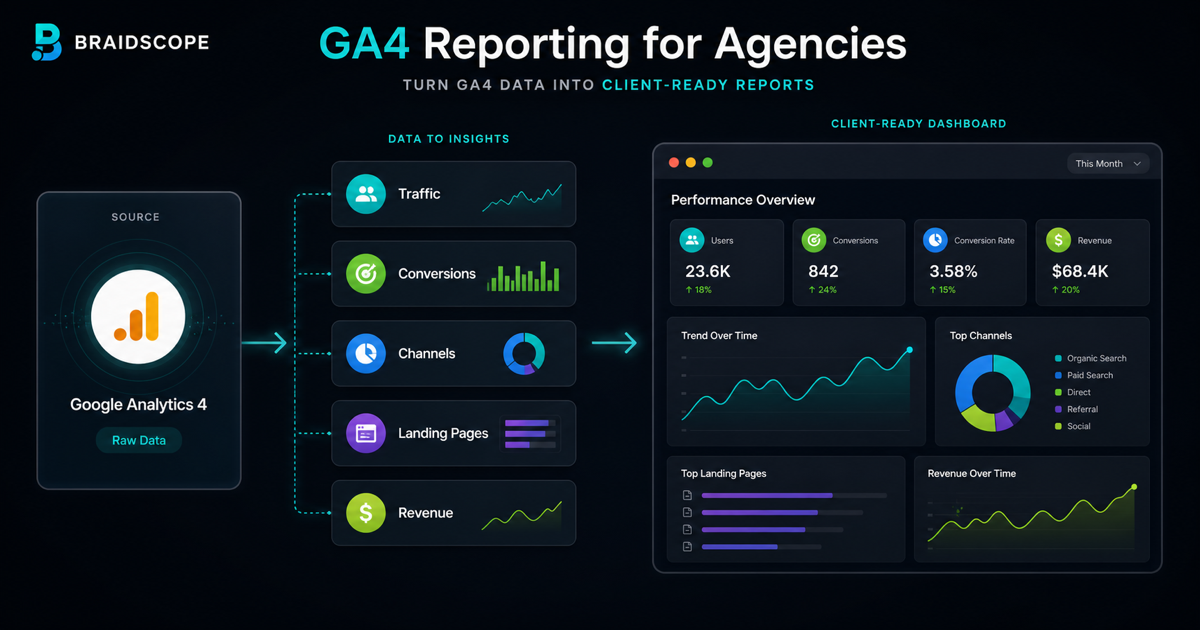
Braidscope is built for agencies that want GA4 reporting inside a repeatable multi-client workflow. You connect GA4 to the client workspace, then the dashboard appears alongside other sources like Google Ads, Meta Ads, Shopify, HubSpot, and Google Sheets.
That matters because GA4 rarely tells the whole story alone. For more context, read how to automate client reporting.
Automating delivery
For most clients, GA4 reporting should be part of a weekly or monthly summary.
Weekly is useful for paid media and ecommerce. Monthly is usually enough for SEO, content, and broader marketing performance.
Automated delivery keeps the report consistent and reduces manual work for account managers.
Bottom line
GA4 is complex, but client reporting should not be.
Show traffic, source, conversion, and what changed. Keep the raw interface away from clients unless they ask for it.
If you want GA4 dashboards that fit into a clean client reporting workflow, join the Braidscope closed beta and lock in founder pricing before launch.