Google Ads reporting often gets too technical.
Agencies talk about match types, quality score, search terms, impression share, and bidding strategy. Clients ask a simpler question: is our budget working?
Your report should answer that question first.
Quick takeaways
- Google Ads reporting should prove budget control before it dives into platform detail.
- Clients care about spend, qualified results, wasted searches, and what you changed next.
- Search term notes often build more trust than another table of campaign metrics.
What each reader cares about
The agency owner cares whether the report can be repeated across every paid search client without a senior strategist rebuilding it.
The founder managing his own ads cares whether the budget is leaking into weak searches.
The business leader cares whether spend is turning into qualified leads, revenue, or pipeline.
The normal client does not care about match types unless they explain wasted money.
That is the filter for every metric you include.
The client question behind the report
Most Google Ads clients want to know:
- how much was spent
- how many leads or sales came from that spend
- whether cost is improving
- what wasted budget was removed
- what should happen next
If the report does not answer those points quickly, it will create more questions.
Core metrics to include
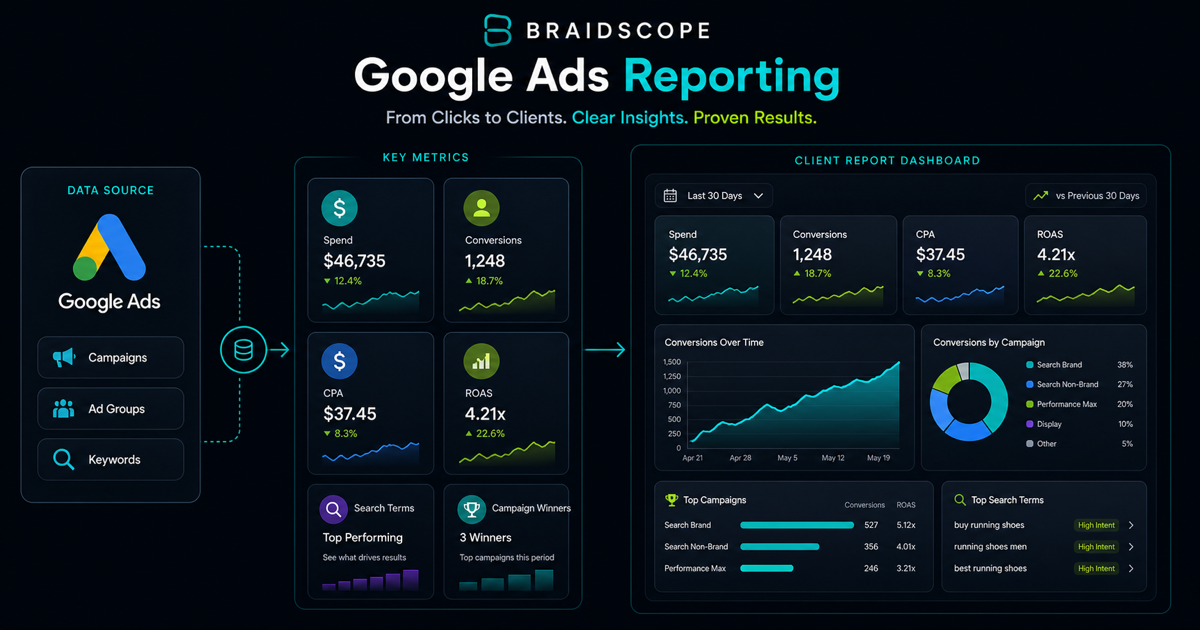
For most Google Ads reports, include:
- spend
- impressions
- clicks
- CTR
- CPC
- conversions
- conversion rate
- cost per conversion
- revenue where available
- ROAS where available
For lead generation, cost per qualified conversion usually matters more than raw conversion count.
For ecommerce, revenue and ROAS matter most.
Search terms vs keywords
Clients often do not understand the difference between keywords and search terms.
Explain it simply:
Keywords are what we target. Search terms are what people actually typed.
Search term review is one of the clearest ways to show that the agency is managing spend responsibly. Include a short note on:
- wasted searches blocked
- negative keywords added
- high-intent searches found
- new keyword opportunities
This builds trust because it shows budget control.
Show budget control in plain English
Google Ads reports should make the agency look financially responsible.
Include a short note like:
“We blocked 34 irrelevant searches this month and moved budget toward the two campaigns producing qualified leads under target CPL.”
That one sentence does more for trust than a full table of keyword metrics.
Should you include Quality Score?
Usually, not in the executive section.
Quality Score can be useful internally, but many clients will overfocus on it if you show it too prominently.
Include it only when it explains performance, such as high CPC caused by weak landing page relevance or poor ad relevance.
Report structure
Use this structure:
- Executive summary
- Spend and return
- Campaign performance
- Search term insights
- Budget changes
- Conversion quality notes
- Next action
That order keeps the report focused on business impact before tactical details.
Automating the pull
Manual Google Ads reporting usually means exporting CSVs, updating spreadsheets, or screenshots.
Better options:
- Google Ads API into a dashboard
- GA4 plus Google Ads connected reporting
- Looker Studio with connectors
- Braidscope Google Ads integration
Braidscope is designed for agencies that need the same reliable setup across many clients. You connect Google Ads to the client workspace, and the dashboard appears automatically.
If you want the full operating system, read our multi-client dashboard guide.
Frequency and delivery
For high-spend accounts, weekly reporting is useful. For smaller accounts, a monthly report may be enough.
The best cadence is:
- weekly pulse for spend, conversions, and major changes
- monthly report for strategy, budget, and trend analysis
Slack can work well for weekly pulses. Email or dashboard links work well for monthly summaries.
How to handle bad months
Do not hide bad performance.
Explain it clearly:
- competition increased
- search demand dropped
- conversion tracking changed
- landing page conversion rate fell
- budget shifted into testing
Then give the next action.
Clients can handle bad numbers better than unclear numbers.
Bottom line
A Google Ads report should prove budget control and business impact.
Lead with spend, result, and next action. Put tactical detail underneath.
If you want automated Google Ads dashboards and client-ready summaries across all accounts, join the Braidscope closed beta and lock in founder pricing before launch.