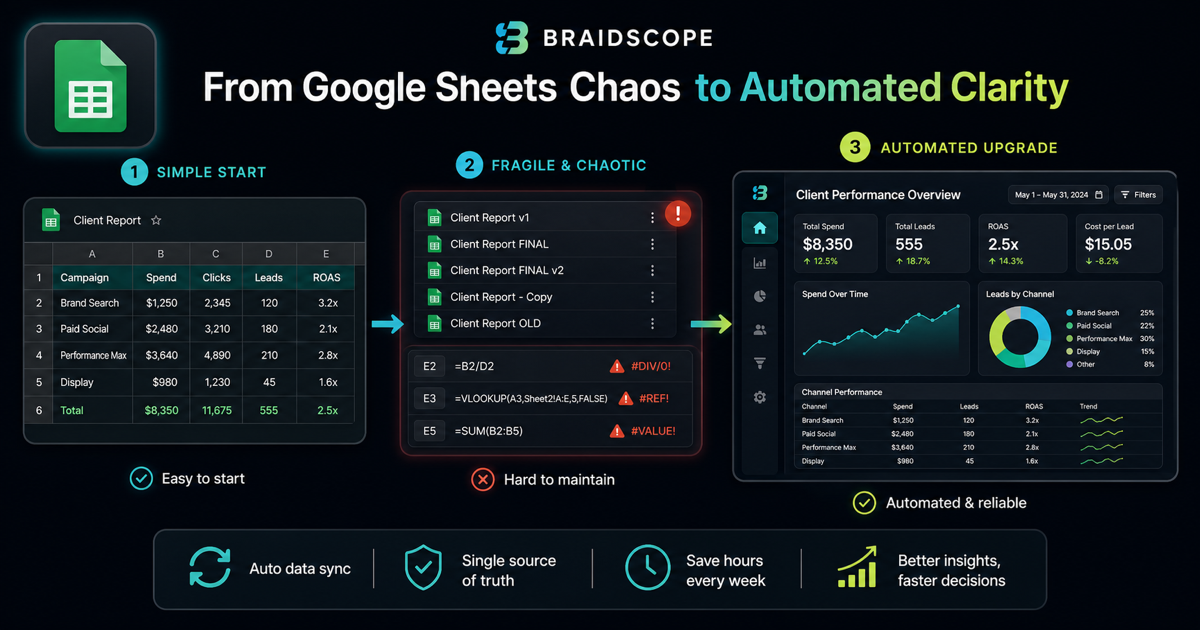
Google Sheets is where many agency reporting systems begin.
It is free, flexible, familiar, and easy to share. For a small agency, that is enough.
But Sheets has a ceiling. Once you manage more clients, the flexibility that helped you move fast starts creating manual work and reporting risk.
Quick takeaways
- Google Sheets is a good starting point, but it becomes fragile as client count grows.
- The upgrade signal is not embarrassment. It is errors, stale data, and too much manual updating.
- Keep Sheets for planning or edge cases, not as the main reporting infrastructure forever.
The honest take
Google Sheets is not embarrassing. It is often the right first tool.
For a founder, Sheets can be the fastest way to understand the business before buying software.
For an agency owner, Sheets becomes dangerous when every account manager has a slightly different version of the truth.
For a business leader, Sheets are fine until the question becomes, “Is this current?”
That is the upgrade point.
Why agencies start with Sheets
Sheets is simple.
You can paste data, write formulas, add charts, and share the link with a client. Everyone understands it.
For early clients, this is practical. You do not need a reporting platform before you have a reporting problem.
What Sheets does well
Sheets is good for:
- quick manual analysis
- custom calculations
- one-off reports
- small client rosters
- client-editable planning docs
- budget pacing sheets
It is also useful as a bridge between messy systems.
Braidscope includes Google Sheets as a launch integration because many agencies still keep important client data there.
Where Sheets breaks
Sheets starts breaking when reporting becomes recurring and multi-client.
Common problems:
- manual data entry errors
- broken formulas
- duplicated files for every client
- no live sync
- no permission structure
- no automated Slack or email delivery
- no AI interpretation
At 10 clients, even small errors become a trust problem.
The real cost at 10 clients
If each client sheet takes 30 minutes per week to update, that is 5 hours per week.
That is 20 hours per month spent moving numbers around.
If each sheet takes 1 hour per week, the cost doubles.
That time should be going into strategy, creative, analysis, or client communication.
When to stay on Sheets
Stay on Sheets if:
- you manage 1 to 3 clients
- data is simple
- reports are not frequent
- the client needs to edit the file
- you are still figuring out your reporting package
Sheets is a good starting point.
When to upgrade
Upgrade when:
- you manage 5+ clients
- you spend 3+ hours per week updating reports
- clients ask for live data
- formulas break
- data comes from Meta Ads, Google Ads, GA4, Shopify, and HubSpot
- you need automated delivery
At that point, you need a reporting system, not a spreadsheet.
Read how to automate client reporting if you are at this stage.
What to look for in a replacement
Look for:
- live data connections
- one workspace per client
- repeatable dashboard structure
- automated summaries
- Slack or email delivery
- simple client access
- predictable pricing
Braidscope is built around those needs and can still pull from Google Sheets when Sheets is part of the workflow.
A practical migration path
Do not throw away every sheet on day one.
Start by moving live platform data into a dashboard. Keep Sheets for planning, custom notes, targets, and client-specific assumptions.
Over time, the sheet becomes the input layer for edge cases, not the place where the whole reporting system lives.
Bottom line
Google Sheets is a useful starting point, but it should not become your agency’s permanent reporting infrastructure.
If your client reporting has outgrown spreadsheets, join the Braidscope closed beta and lock in founder pricing before launch.