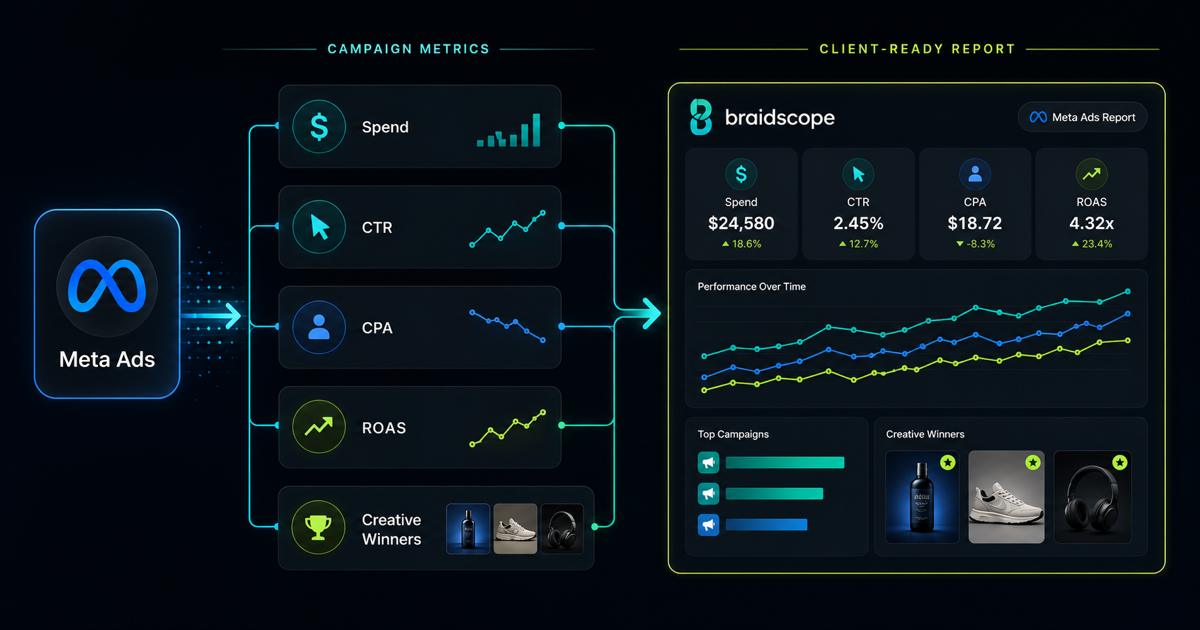
Meta Ads reporting can easily become a wall of numbers.
Agencies care about campaigns, ad sets, creative tests, attribution windows, and learning phases. Clients usually care about one thing first: did the money produce a result?
A good Meta Ads report answers that question quickly, then gives enough detail to support the next decision.
Quick takeaways
- Meta Ads reports should separate testing from scaling so clients do not panic over early data.
- Lead with spend, outcome, and what changed before showing campaign or ad set detail.
- A good report calms the room and explains the next budget decision.
The owner lens
An agency owner needs Meta Ads reporting to be repeatable. If every strategist formats performance differently, the agency cannot scale quality.
A founder managing his own ads needs the report to stop the daily panic cycle. Meta moves fast, but not every bad day deserves a budget change.
A business owner wants to know if paid social is producing customers, not just engagement.
The report should calm the room and point to the next move.
What clients want to know
Most clients are not asking for Meta Ads data. They are asking for confidence.
They want to know:
- how much we spent
- what we got back
- whether performance improved
- what changed
- what the agency is doing next
Start there. The platform-level details come later.
Core metrics to include
For most Meta Ads clients, include:
- spend
- impressions
- CPM
- CTR
- CPC
- conversions
- cost per conversion
- revenue
- ROAS
- frequency
For ecommerce, ROAS and revenue matter most. For lead generation, cost per qualified lead matters more than total leads.
If you serve paid media clients, the paid media agency use case is a useful reference for structuring reporting around spend, return, and action.
Metrics to avoid
Do not overload the client with every platform metric.
Metrics like relevance diagnostics, learning limited status, outbound CTR, and ad-level engagement can be useful internally. They should not lead the client report unless they explain a business result.
If you include too many metrics, the client will either ignore the report or focus on the wrong number.
Campaign level vs ad set vs ad level
Use campaign-level reporting for executives. It gives the cleanest view of spend and result.
Use ad set reporting when audience or budget allocation is the main question.
Use ad-level reporting when creative is the main driver of performance.
The client report should move from summary to detail:
- Account overview
- Campaign performance
- What changed
- Creative or audience notes
- Recommendation
Add context
Meta Ads performance changes constantly. A client needs context to avoid overreacting.
Compare results against:
- previous week
- previous month
- target ROAS or CPL
- budget
- creative launch dates
- seasonality
Example:
“ROAS dropped from 3.1x to 2.4x because we increased prospecting spend by 30%. Retargeting remained stable. We are giving the new creative one more week before reducing budget.”
That explanation is more useful than a chart.
Separate testing from scaling
Clients often get nervous when test campaigns perform worse than mature campaigns.
Label testing clearly.
Show:
- core campaigns
- test campaigns
- retargeting
- prospecting
Then explain which numbers should be judged now and which need more time.
This stops a client from killing a test before it has enough data.
Automating the data pull
Manual Meta Ads reporting usually means exports, screenshots, or copied numbers.
That works for a few clients. It breaks when you manage 10 or more accounts.
Automation options:
- Meta Ads export into Sheets
- Supermetrics into Sheets or Looker Studio
- custom API workflow
- Braidscope Meta Ads integration
Braidscope is built for agencies that want the setup to repeat. Connect Meta Ads once for a client, then the dashboard appears with the right reporting structure.
For the broader setup, read how to automate client reporting.
Weekly pulse plus monthly deep-dive
For active paid media clients, send a weekly pulse:
- spend
- revenue or leads
- ROAS or CPL
- what changed
- one next action
Then send a monthly deep-dive with creative, audience, budget, and channel-level analysis.
Do not make the weekly report too heavy. It should create confidence, not more work.
Bottom line
Meta Ads reporting should connect spend to outcome. Start with the business result, explain the movement, then show the platform detail.
If your team is tired of manually pulling Meta Ads reports for every client, join the Braidscope closed beta and lock in founder pricing before launch.