SEO reporting is harder than paid media reporting.
Paid media has spend, clicks, conversions, and ROAS. SEO has delayed results, unclear causation, ranking movement, content work, technical fixes, and algorithm changes.
That does not mean SEO reports should be vague. It means they need stronger framing.
Quick takeaways
- SEO reporting needs leading indicators because revenue often lags behind the work.
- Clients should see visibility, traffic quality, organic conversions, and next actions.
- A bad SEO month should be explained plainly, not hidden behind vague activity updates.
What different readers need
An agency owner needs SEO reporting that proves progress before revenue fully shows up.
A founder doing his own SEO needs to know which pages deserve more work.
A business leader needs confidence that SEO is building a durable acquisition channel.
A normal client needs the report to explain why results take time without sounding like an excuse.
Frame SEO as an investment
SEO is not a monthly activity checklist. It is an asset-building channel.
Clients need to understand that SEO performance compounds over time. A page published this month may generate traffic and leads for years.
Your report should connect current work to future return:
- content shipped
- pages improved
- technical barriers removed
- rankings gained
- organic conversions created
- pipeline influenced
Core metrics to include
Include metrics that show movement and business impact:
- organic sessions
- organic conversions
- search impressions
- clicks from Google Search Console
- CTR
- tracked keyword movement
- top landing pages
- assisted conversions
- revenue or leads from organic where available
Do not lead with vanity SEO metrics.
Metrics to avoid in client-facing reports
Domain authority, page authority, and raw backlink counts can be useful internally, but they often confuse clients.
If you include backlink work, connect it to authority, rankings, or referral value. Do not report “we built 12 links” as the main result.
The client cares about visibility, traffic, leads, revenue, and long-term growth.
Report structure
Use this structure:
- Executive summary
- Organic performance this month
- What moved in search
- Content or technical work completed
- Conversion impact
- Risks or blockers
- Next month’s focus
This keeps SEO reporting tied to progress, not activity.
How to handle a bad SEO month
Bad SEO months happen.
Traffic can drop because of seasonality, algorithm updates, tracking changes, competitor movement, or lost rankings.
Do not soften it with vague language. Explain the likely cause, what you checked, and what you are doing next.
Example:
“Organic sessions dropped 9%. The decline came mostly from three blog posts that lost rankings after a competitor refreshed similar content. We are updating those pages this month and adding internal links from higher-authority pages.”
That creates confidence.
Show leading and lagging indicators
SEO needs both.
Leading indicators:
- impressions
- rankings for tracked terms
- pages indexed
- content published or refreshed
- technical fixes shipped
Lagging indicators:
- organic sessions
- organic leads
- revenue from organic
- assisted conversions
This helps clients see movement before revenue fully catches up.
Automating SEO reporting
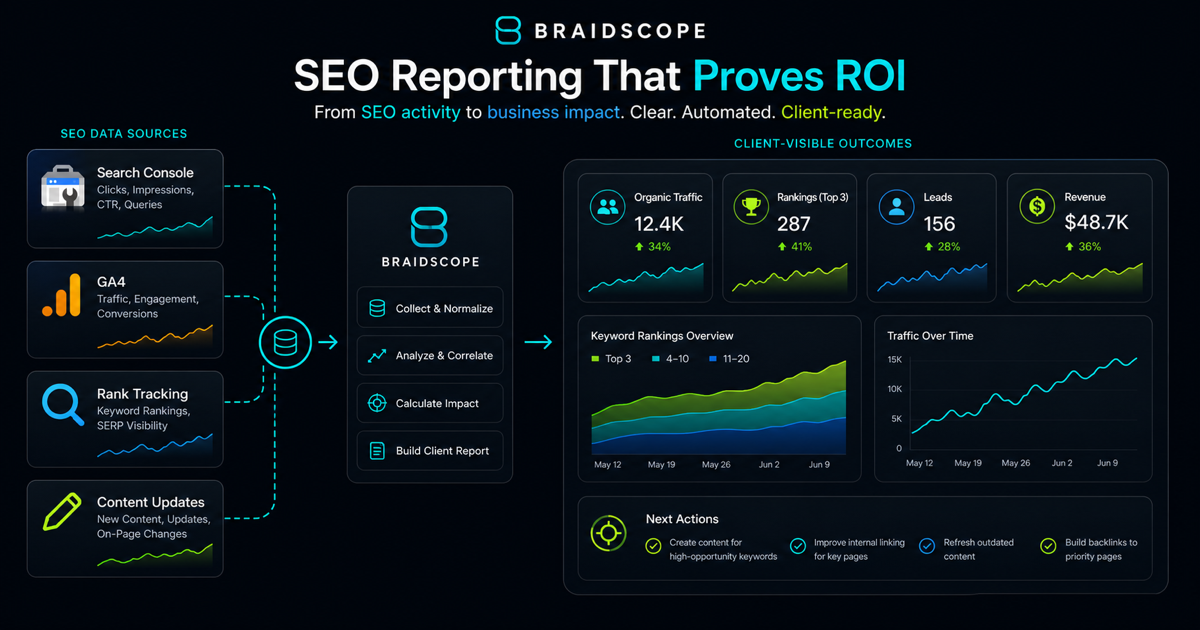
SEO reporting usually pulls from GA4, Search Console, rank tracking tools, and sometimes Google Sheets.
Manual reporting means exporting, matching dates, copying screenshots, and writing summaries.
Automated reporting should pull the data into one view so your team can spend time on interpretation.
Braidscope is built to connect GA4 and Google Sheets at launch, with reporting workflows designed for agencies that manage multiple clients.
If reporting across many clients is the challenge, read the multi-client dashboard guide.
Monthly is usually the right cadence
SEO does not need daily client reporting.
Monthly reporting is usually enough because movement takes time. For larger clients, you can add a live dashboard so they can check traffic without waiting for the monthly summary.
Do not send weekly SEO reports unless the client has a specific reason to need them.
Bottom line
SEO reports should make slow progress visible and credible.
Show movement, explain why it matters, and connect the work to long-term business value.
If you want cleaner client dashboards and automated summaries across SEO and paid channels, join the Braidscope closed beta and lock in founder pricing before launch.