Social media reporting gets messy because everyone can see the public numbers.
Clients notice followers, likes, comments, and reach. Agencies know those metrics only matter when they support business goals.
The job of the report is to connect social activity to impact without pretending every like is revenue.
Quick takeaways
- Social media reports should separate attention metrics from business impact metrics.
- Likes and reach are not useless, but they need context around clicks, conversions, and content learning.
- The report should tell the client what content to do more of, less of, or test next.
The honest social media reporting problem
Social media has a perception gap.
Clients see public engagement and judge quickly. Agencies see content quality, distribution, audience fit, and assisted demand. Founders managing their own social often feel the same tension: a post can be strategically useful even when it does not explode.
The report should make that distinction clear without dismissing the client’s concern.
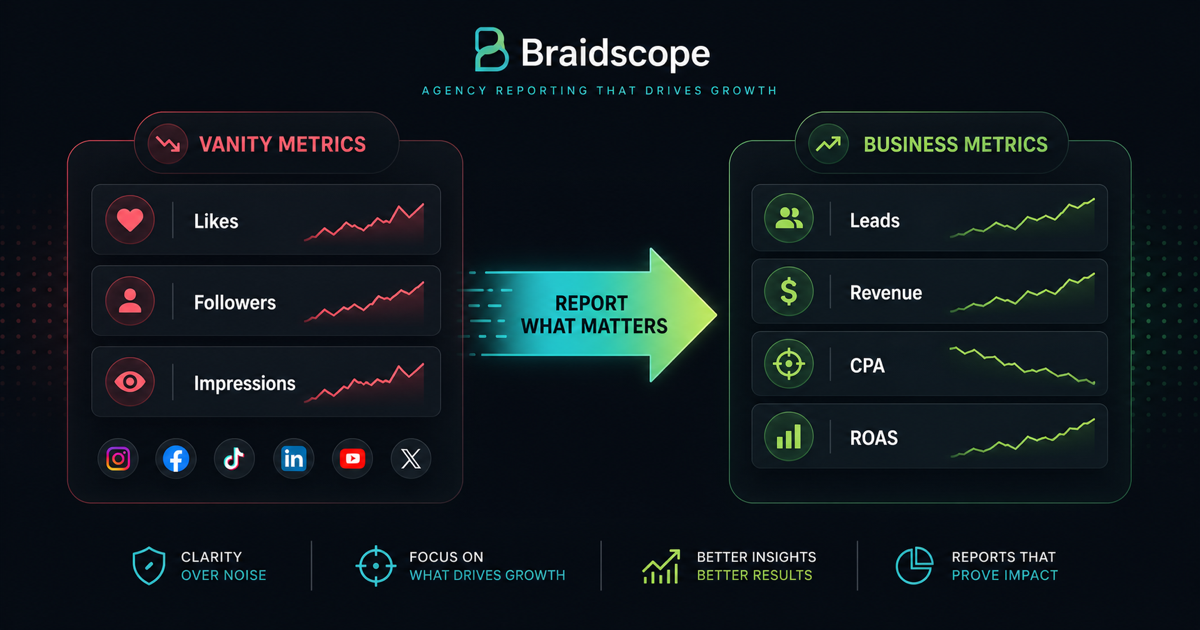
Vanity metrics vs impact metrics
Vanity metrics are not useless. They are just incomplete.
Followers, likes, impressions, and reach can show audience growth and attention. But they do not prove business impact by themselves.
Impact metrics include:
- link clicks
- profile visits
- conversions from social
- leads
- revenue attributed to social
- engagement rate by content type
- cost per result for paid social
The best report shows both attention and business movement.
What to include
For organic social, include:
- reach
- engagement rate
- follower growth
- profile visits
- link clicks
- top posts
- content themes that worked
For paid social, include:
- spend
- CPM
- CTR
- CPC
- conversions
- cost per conversion
- revenue or ROAS where available
If your agency handles both paid and organic, separate them clearly.
Organic vs paid in the same report
Clients often blend organic and paid in their mind because both happen on social platforms.
Your report should make the difference clear:
- organic builds audience and trust
- paid creates controlled distribution and measurable acquisition
Then show where they support each other, such as organic creative ideas becoming paid tests.
Platform differences
Instagram reporting often focuses on reach, engagement, profile visits, saves, and content format.
Facebook reporting often matters more for paid performance, groups, local engagement, and older audiences.
LinkedIn reporting usually focuses on impressions, engagement rate, follower quality, clicks, and B2B lead quality.
Do not use the same metrics for every platform unless the client goal is the same.
Report structure
Use:
- Executive summary
- Audience and reach
- Engagement quality
- Traffic or conversions
- Best content
- Paid social performance if relevant
- Recommendation for next month
This gives the client both brand and performance context.
Add a content decision section
A useful social media report should say what content the agency will do more of, less of, or test next.
Example:
“Founder-led posts are getting fewer impressions than trend posts, but they drive more profile visits and qualified clicks. We are keeping them in the mix and testing stronger opening hooks next month.”
That kind of note makes the report useful even when direct attribution is weak.
Automating social reporting
Manual social reporting usually means screenshots, exports, and spreadsheet updates.
For agencies with many clients, this becomes painful quickly.
Braidscope is designed to help agencies standardize client reporting and combine social performance with other channels like Meta Ads, Google Ads, GA4, Shopify, HubSpot, and Google Sheets.
For broader reporting strategy, read client reporting best practices.
Bottom line
Social media reports should not worship vanity metrics or ignore them completely.
Show attention, explain quality, connect to business outcomes where possible, and recommend the next move.
If you want cleaner client dashboards and automated reporting across social and paid channels, join the Braidscope closed beta and lock in founder pricing before launch.