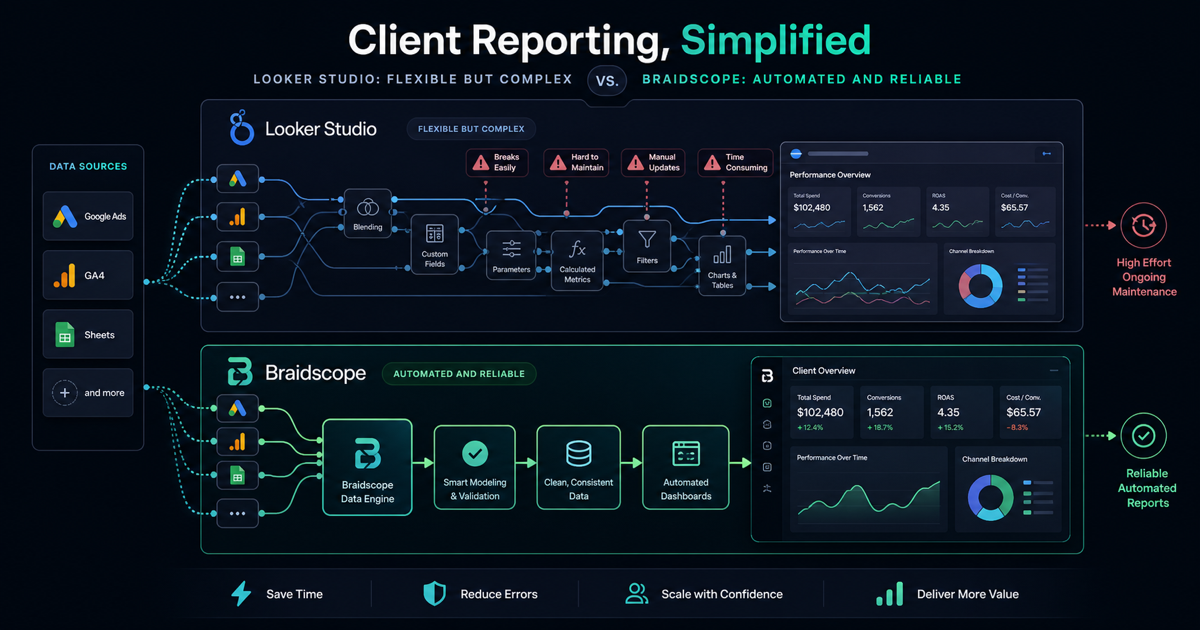
Looker Studio is free, flexible, and familiar. That is why so many agencies use it for client reporting.
It is also the reason many agencies underestimate the real cost. The software bill might be zero, but the operational bill shows up every week in setup time, broken connectors, manual QA, and client questions.
Looker Studio can work. The mistake is treating it like a complete agency reporting system.
Quick takeaways
- Looker Studio is free software, but it can still create expensive manual work.
- It works best for small teams with technical capacity and mostly Google-native data.
- Agencies should upgrade when dashboard maintenance starts stealing delivery time.
The plain-language verdict
Looker Studio is a good dashboard builder. It is not an agency operations system.
That difference matters.
A founder with one business can tolerate more manual setup because there is only one dashboard to maintain. An agency with 20 clients cannot operate like that forever. A business owner receiving the report does not care that the tool was free if the numbers are late or confusing.
Why agencies start with Looker Studio
Looker Studio is the obvious first move for a small agency.
It connects well with Google products. It can visualize data from GA4, Google Ads, Search Console, and Sheets. Clients can open a link without needing complex onboarding. Templates are easy to find.
For the first few clients, this feels like a win. You build one dashboard, duplicate it, change the source, and send the link.
Then the agency grows.
Client five needs Shopify. Client six needs Meta Ads. Client seven has messy GA4 events. Client eight wants a monthly PDF. Client nine asks why a number in the dashboard does not match the ad account.
At that point, the free tool starts costing your team time.
What Looker Studio does well
Looker Studio is still useful.
It is good for custom dashboards when you know exactly what you want to build. It is good for Google-native reporting. It is good when your agency has someone technical enough to maintain the setup.
It is also good for one-off reports. If a client asks for a campaign performance view and you need something flexible, Looker Studio can do the job.
The problem is not the product. The problem is expecting it to behave like a multi-client agency reporting platform.
When free becomes expensive
Free software becomes expensive when senior people have to maintain it.
If your best strategist is fixing connectors, rebuilding dashboards, or explaining why numbers changed because of a filter issue, Looker Studio is no longer free. The cost is hidden inside payroll.
The hidden costs
Setup time per client
Every client needs data sources connected, metrics checked, filters configured, and dashboards reviewed.
If setup takes 2 hours and you onboard 10 clients, that is 20 hours before the first report is even sent.
No native multi-client view
Looker Studio does not give your agency one operational view across all clients. You end up with folders, duplicated dashboards, naming conventions, and a lot of manual organization.
That works until someone needs to find the right report quickly before a client call.
Connector costs
The Google sources are easy. Non-Google sources are where things get expensive.
Meta Ads, Shopify, HubSpot, and other platforms usually require paid connectors or custom workflows. At that point, Looker Studio is no longer free. It is a reporting stack.
No AI answers
Looker Studio shows charts. It does not explain them.
If a client asks, “What changed last week?” someone still has to compare periods, check campaigns, review source data, and write the explanation.
This is one reason agencies are moving toward tools with AI summaries and plain-English answers. For more on that workflow, read our guide on how to automate client reporting.
When to stay on Looker Studio
Stay with Looker Studio if you have 1 to 5 clients, simple Google-heavy reporting, and someone technical enough to maintain templates.
It is also a good choice if your reports are highly custom and every client genuinely needs a different view.
If your client count is low, the labor cost may be acceptable.
When to upgrade
Upgrade when your reporting process starts hurting delivery.
Clear signs:
- you manage 5+ clients
- every new client needs a dashboard rebuild
- your team spends 3+ hours per week checking reports
- clients ask questions that require manual data digging
- you need Meta Ads, Shopify, HubSpot, or Google Sheets in the same view
- you want Slack or email reports to send automatically
At that point, the question is not whether Looker Studio can work. It can. The question is whether your team should keep maintaining it.
Alternatives to consider
AgencyAnalytics is a strong option if you want a mature client reporting platform and can accept per-client pricing.
DashThis is useful for simple dashboards and scheduled reports.
Whatagraph is good if polished visual reports are the priority.
Braidscope is built for agencies that want a multi-client dashboard guide style workflow without rebuilding dashboards. You create a client workspace, connect sources, and dashboards appear automatically. It also includes AI answers and automated Slack or email reports.
That makes it a better fit for agencies managing 5+ clients who want reporting to scale without adding more manual work.
Bottom line
Looker Studio is not bad. It is just not a full agency reporting operating system.
Use it when your client count is small, your reporting is mostly Google-native, and you have time to maintain it.
Move to a purpose-built tool when reporting becomes a bottleneck.
If you want flat-rate pricing, automatic dashboards, and AI answers for client reporting, join the Braidscope closed beta and lock in founder pricing before launch.