It is 9 PM. A client texts: “Why did sales dip on Tuesday?”
To answer, you open GA4. Then Google Ads. Then Meta. Three dashboards, three date pickers, and at the end you still have a guess.
Here is the short answer. In Braidscope you open that client’s workspace, press Ask AI and type the question. Ask AI reads that client’s connected sources. If the question is unclear it asks you what to compare. Then it pulls the data, gives you the numbers, and shows which sources it read. It only reads. It cannot change a campaign.
The numbers below are sample data, and the answer in the video is a scripted example. The video says so on screen, and so do we.
Step 1: open Ask AI inside the client’s workspace
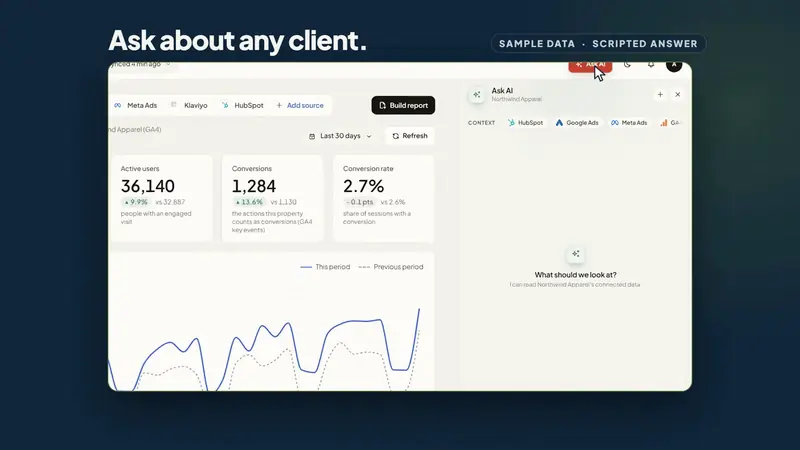
The Ask AI button is at the top right of every dashboard. Press it and a panel opens on the right, next to the numbers you were already looking at.
The panel is tied to one client. In the sample it says it can read Northwind Apparel’s connected data, and it lists the sources in its context: HubSpot, Google Ads, Meta Ads and GA4. It does not reach into another client’s workspace.
Step 2: type the question the way the client asked it
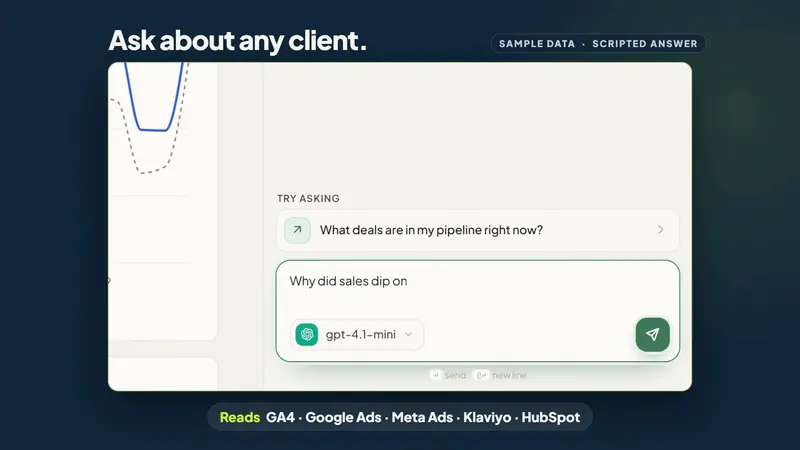
You do not need to pick a report or a metric first. Type “Why did sales dip on Tuesday” and send it.
Under the box you can see which model will answer. Ask AI runs on your agency’s own AI key, or on a Claude or ChatGPT sign-in. Your agency controls which one.
Step 3: it asks before it guesses
“Tuesday” compared to what? A person would ask. Ask AI does too.
In the example it comes back with a quick question: which Tuesday should I compare, and against what? It offers three choices:
- Tuesday against the Tuesday before. Same weekday, one week back.
- Tuesday against the average of the last four Tuesdays. This smooths out one odd week.
- Tuesday against Monday. The day before.
There is also a “skip and decide for me” option if you are in a hurry.
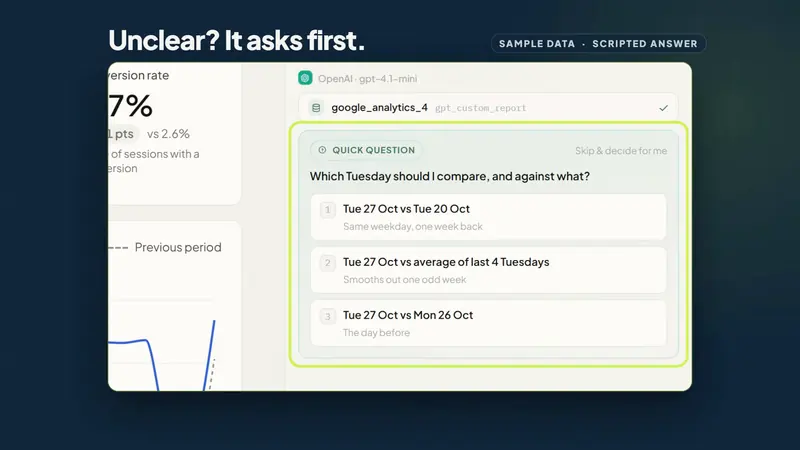
A dip against last Tuesday and a dip against Monday are two different stories. Picking the comparison yourself means you can defend the answer when the client pushes back.
Step 4: read the answer and the numbers under it
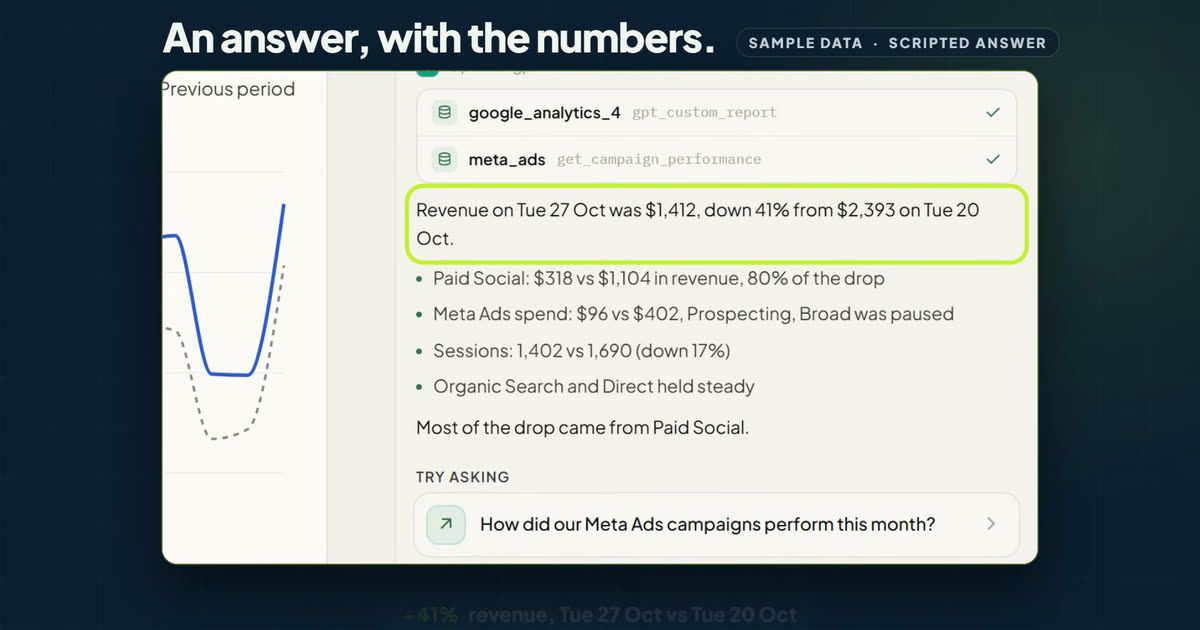
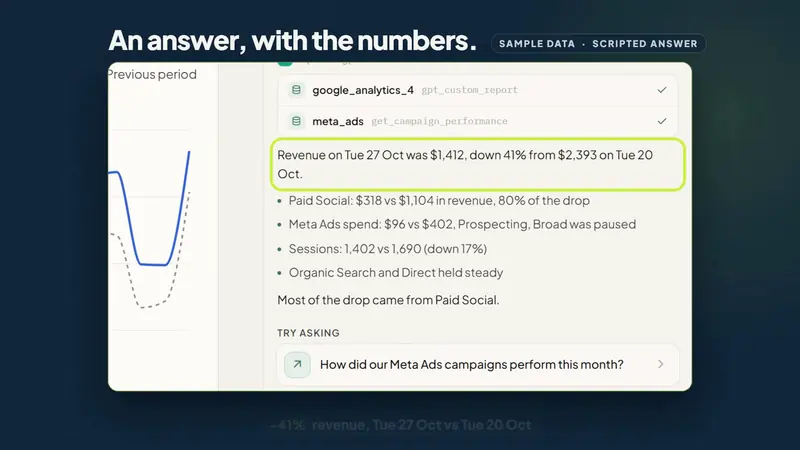
The example answer starts with one sentence: revenue on Tuesday 27 October was $1,412, down 41% from $2,393 the Tuesday before.
Then it breaks the drop down:
- Paid Social brought $318 against $1,104. That is 80% of the drop.
- Meta Ads spend was $96 against $402. The Prospecting, Broad campaign was paused.
- Sessions were 1,402 against 1,690, down 17%.
- Organic Search and Direct held steady.
So the reply to the client writes itself: revenue was down 41% against last Tuesday, and most of it was paid social, because the Meta prospecting campaign was paused.
Step 5: check where it came from
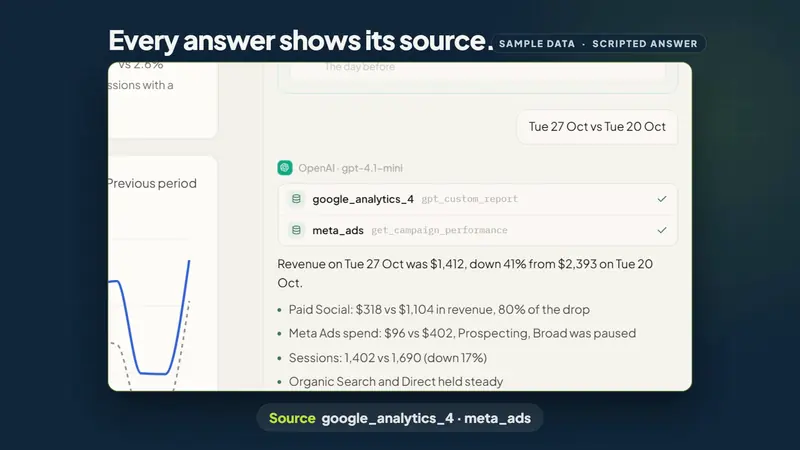
Above every answer you can see which sources Ask AI read. In the example that is the GA4 source and the Meta Ads source, each with a tick.
If a client asks “where did you get that?”, you can say which platform each number came from, and open that dashboard tab to check it.
It only reads
Every connector in Braidscope is read-only: GA4, Google Ads, Meta Ads, Klaviyo, HubSpot and Shopify. Ask AI can tell you that a campaign was paused. It cannot pause one, unpause one, or change a budget. Nobody on your team can break a client’s ad account from this screen.
What it does not do yet
- It does not message your client. Ask AI answers you, inside the app. You write the reply.
- It does not email or Slack you when sales dip. Braidscope flags unusual numbers inside the app. Alerts sent by email or to Slack are not built.
- It does not send reports on a schedule. You build a PDF report with a written summary and send it yourself.
- A real answer depends on real data. The answer in the video is scripted on sample data to show the flow. With your client’s sources connected, the answer is built from what those sources return, so check the numbers against the dashboard tabs the first few times.
What you need before you can ask
- A client workspace in Braidscope.
- At least one source connected for that client. The more sources, the more of the story Ask AI can see. GA4 and Google Ads together already cover traffic, conversions and spend.
- An AI provider for the workspace: your own key, or a Claude or ChatGPT sign-in.
Ask AI is in the self-hosted version too. If you would rather run it on your own server, the self-host guide walks through the install.
Platform plans start at $19 a month. See the pricing page, or book a free audit.